
This article walks through the detailed process of building a game website from scratch using AI, including technical architecture and game resource acquisition.
1. Background
I recently started building independent websites for international markets, and have launched several different types of sites—though none have gained much traction yet. Last week, I launched a gaming platform at https://miniplay.io/, which currently features just a few games.
I wanted to document this journey to provide a reference for anyone interested, and to give the site a little promotion.
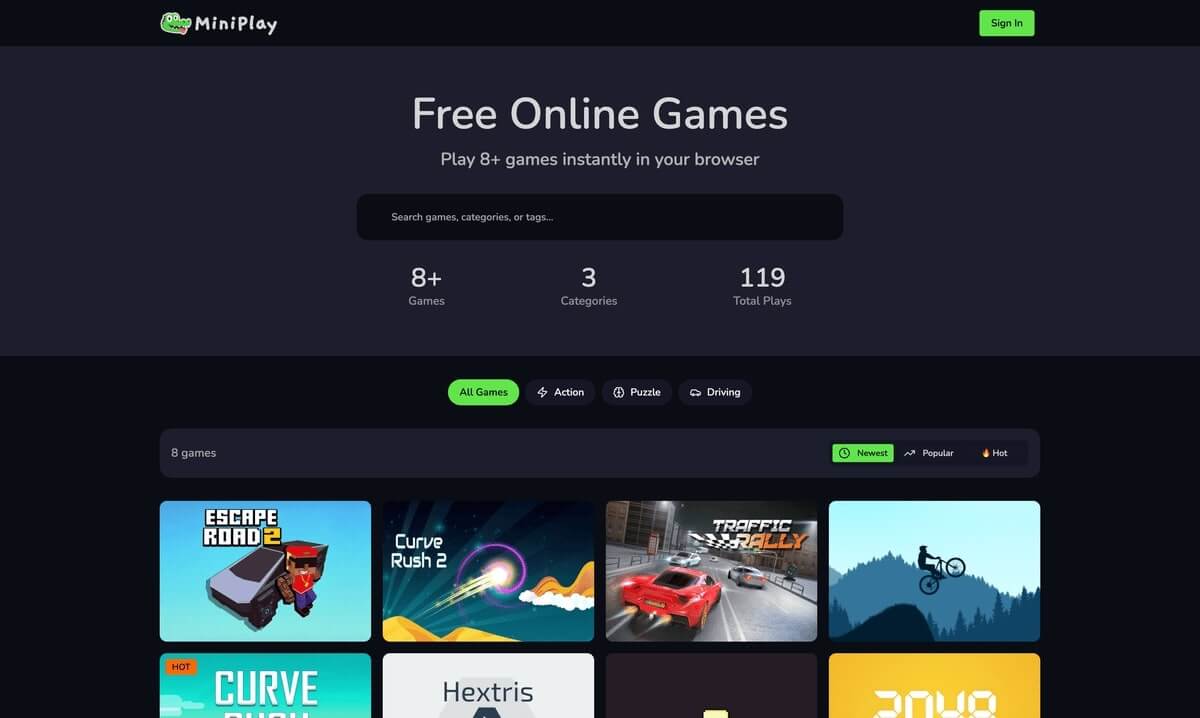
2. Domain Selection
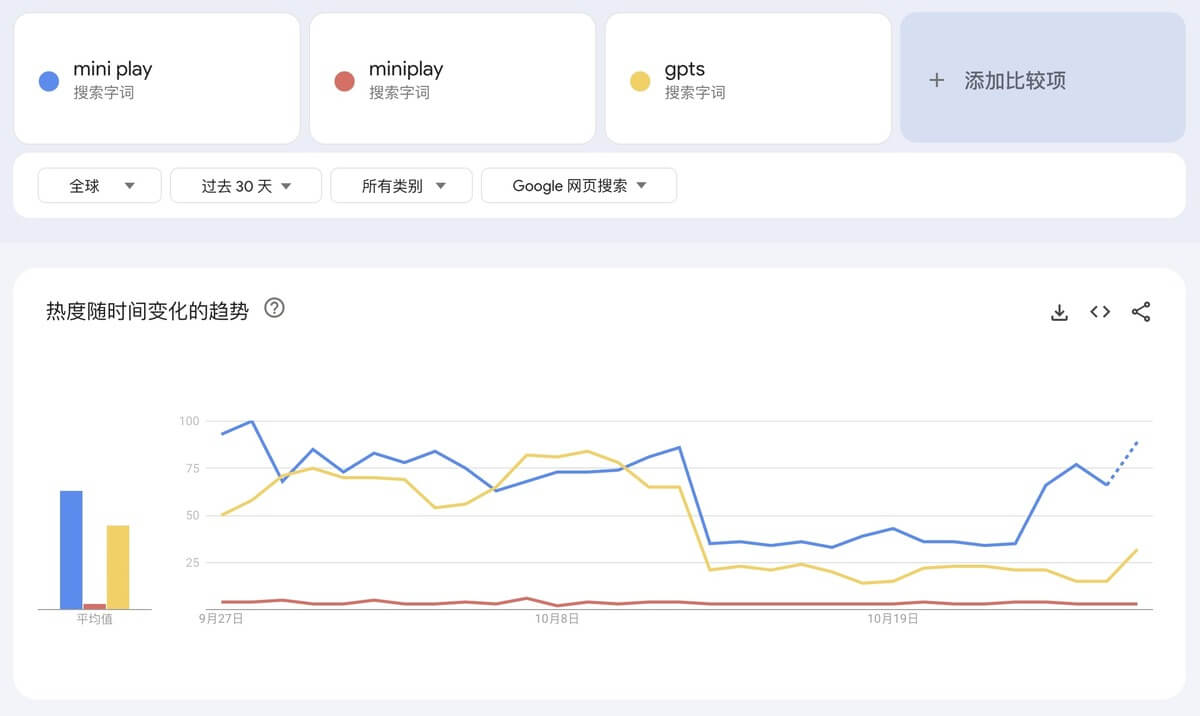
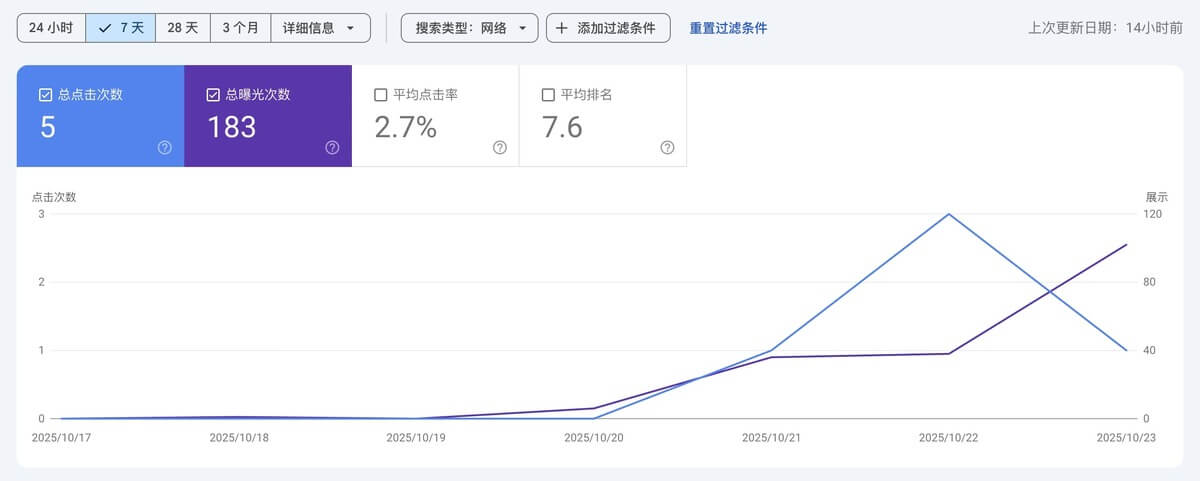
A good domain name is the first step toward success. The domain I’m using has inherent search volume, so within less than a week of going live—before I’d even submitted a sitemap—Google was already showing impressions and clicks.
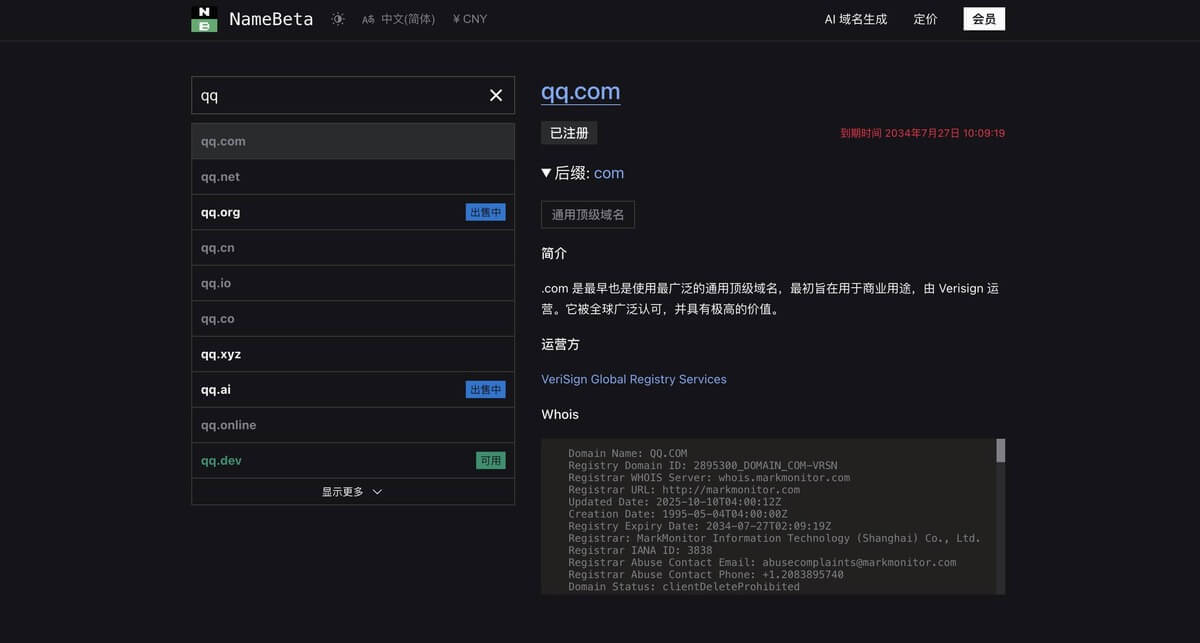
Finding a good domain requires skill—most of them are already taken. Here’s a recommended approach: use ChatGPT to generate domain suggestions based on your site’s positioning, then check availability using NameBeta. NameBeta is a domain comparison site that quickly shows whether a domain is registered and where to get the best price.
Once you’ve found an available domain, check its keyword search volume on Google Trends—if it has natural traffic, you’ll have a head start. Just be careful to avoid registering someone else’s trademark, which could lead to legal issues.
If prices are similar, I recommend registering through dynadot because it accepts Alipay and offers partial refunds if you change your mind.
Regarding domain extensions, prioritize mainstream ones like .com, .org, .net, or .io—they increase trust and avoid potential issues. For gaming websites, .io is particularly popular and helps build user confidence.
3. Technical Implementation
First, the code framework. Next.js is the current standard for international sites. While 99% of the website code is AI-generated, that doesn’t mean letting AI run wild.
AI generation depends on context—the less you provide, the more unpredictable the results.
I recommend starting with a website template. Templates not only constrain AI’s output but also make it easier to integrate authentication, payment systems, etc.
SaaS website templates are abundant now—after all, selling shovels is more profitable than mining gold.
Templates come in both free and paid versions. I use a paid template because I’m not a web developer, and the time cost of figuring things out myself is high. I chose a popular paid template to focus my energy where it matters most.
That said, my experience has been mixed—there are minor issues and the author’s support isn’t very active, so I won’t recommend it here.
Once you have a template, the next step is having AI write the code. I use Claude Code and Codex.
Before starting a project, I discuss with AI what I’m building, then share the features I’ve thought of and the general interactions. I ask AI to identify anything unclear or potentially problematic.
After a few rounds of back-and-forth, AI typically has a clear picture of the project details.
Don’t rush into coding at this point. Have AI summarize the discussion into product and technical design documents and save them in the project directory.
After summarizing, double-check the details to ensure everything matches expectations. Once confirmed, you can start implementation.
These documents offer another advantage: since AI generation relies on window context, projects inevitably require multiple window restarts during development. After each restart, you can have AI read the documents to understand the project background.
Once the website code is complete, deploy it to a server. Common platforms are Vercel and Cloudflare Workers, both offering free tiers.
I’ve tried deploying to Vercel and encountered some issues. I’ve also heard that Vercel’s costs can be high once traffic picks up, so I generally use Cloudflare Workers now.
However, Cloudflare Workers deployment is slightly more complex than Vercel. Beginners can start with Vercel and migrate later as needed.
For deployment procedures, website templates come with documentation—just follow the instructions.
For the database, I use Neon platform. The free tier has been sufficient so far.
4. UI Design
I went through several UI iterations for this site. Initially, I picked a pleasing color palette from a color scheme website and had AI optimize the site based on those colors.
This approach has a problem though—even if a color scheme looks good on paper, the actual implementation can vary wildly depending on which colors are applied to which elements.
Later, I adopted a new approach. There are reference sites showcasing different website designs. I found designs I liked, sent screenshots to AI, and had it analyze the design approach. Once it understood the button, background, and text styles, I had it apply those principles to our site.
5. Game Resources
For a gaming website, the most critical aspect is where to source games. There are three main sources:
- Free and Open Source
GitHub has many open-source games, and this repository collects quite a few. You can upload open-source game code directly to a CDN server. However, you should curate more modern games—outdated ones won’t attract players.
- Embedding from Other Sites
If you browse several gaming platforms, you’ll notice they often feature the same popular games. Most of these are embedded via iframe from other sources. This carries risks though—if the source site adds blocking or redirect code, your game page might become inaccessible or be flagged as risky.
Another embedding approach is obtaining authorization. For example, Game Distribution allows you to register as a distributor. Once approved, you can legally embed games from their platform without risk, and you’ll even receive a share of ad revenue.
- Self-Development
Theoretically, with today’s advanced AI, creating web-based mini-games with AI assistance is entirely feasible. But considering marketing efforts and gameplay quality, the difficulty is still significant.
Unless you have exceptional talent and confidence in creating popular games, this approach has a low ROI.
6. Marketing and Operations
Typical steps after launching a new site:
- Integrate Google Analytics to monitor website traffic.
- Integrate Google Search Console to monitor performance in Google search, and optimize keywords and backlinks.
- Integrate Bing Webmaster Tools to monitor Bing search performance. While Bing’s overall traffic is far less than Google’s, competition is less fierce, which can sometimes result in more search traffic for individual sites.
- Maintain good SEO practices. For gaming platforms, this means continuously adding new games, planning internal links, and building backlinks.
7. Monetization
Gaming platform websites primarily monetize through two methods:
- Become a distributor for other gaming platforms, earning revenue share based on traffic—like the aforementioned Game Distribution.
- Integrate Google Adsense. Once approved, you can display ads on your site.
Comments
Post a Comment